made byCreativeApp
NewOutline of methods and functions

Companion extension to ForceKIT

Your org's code in a real editor.

ForceKIT Space opens the org you're logged into in a full-page editor: a file tree, tabs, the outline of every method, saving with compile errors on the lines, Apex tests with coverage, debug logs and deployments. No CLI, no project to download.

Free, no account. It uses the Salesforce session already open in your browser.

Apex class with the Outline panel Apex test results and coverage

Features

Everything you do on the org's code, in one page.

Built for admins and developers who want to fix a class, check a test or read a log without opening an IDE.

01

A file tree, tabs and the outline of every method

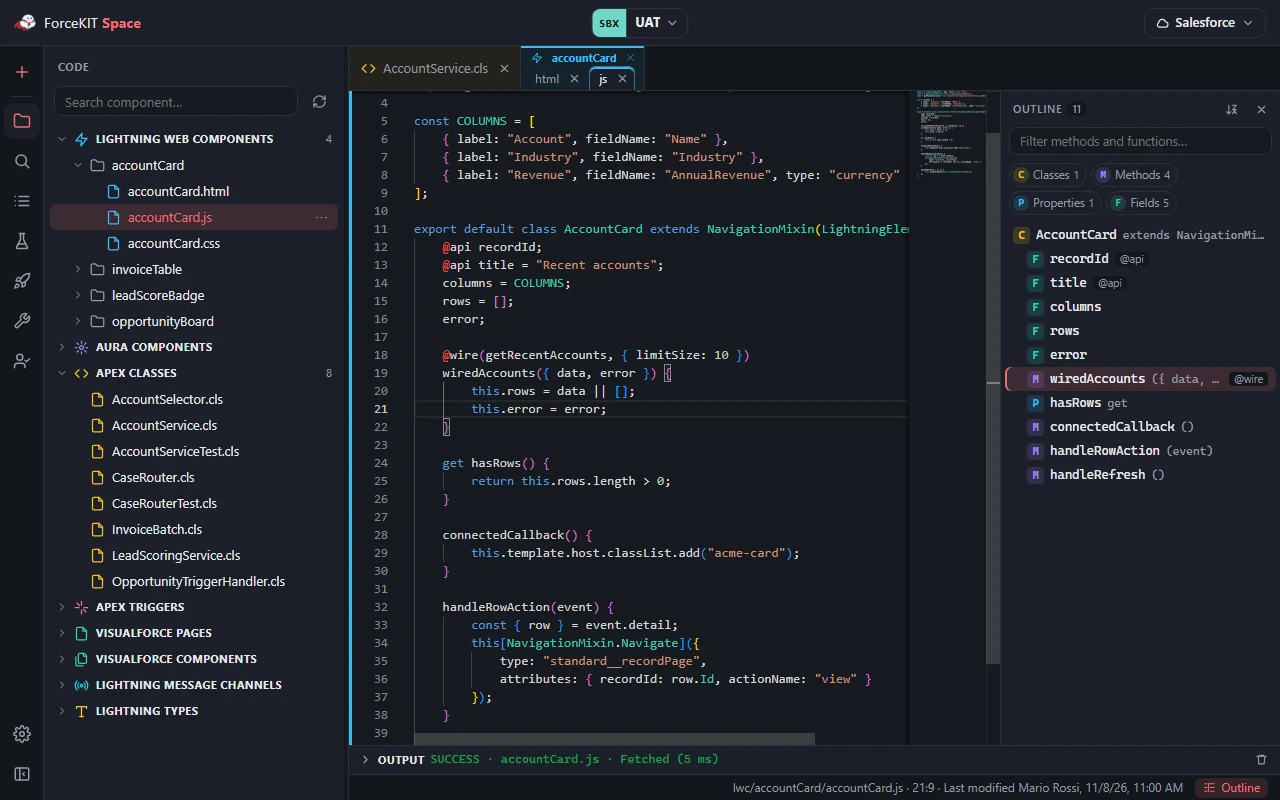
Lightning Web Components, Aura, Apex classes and triggers, Visualforce, Lightning Message Channels and Lightning Types in one tree. The files of a bundle stay grouped in the tabs, and the Outline panel lists the classes, methods, properties and functions of the open file: a click takes you to the line.

  • Outline for Apex and JavaScript, filtered by name or by type
  • Save with Ctrl+S: compile errors land on the lines
  • Find in all the org's code, also with regular expressions
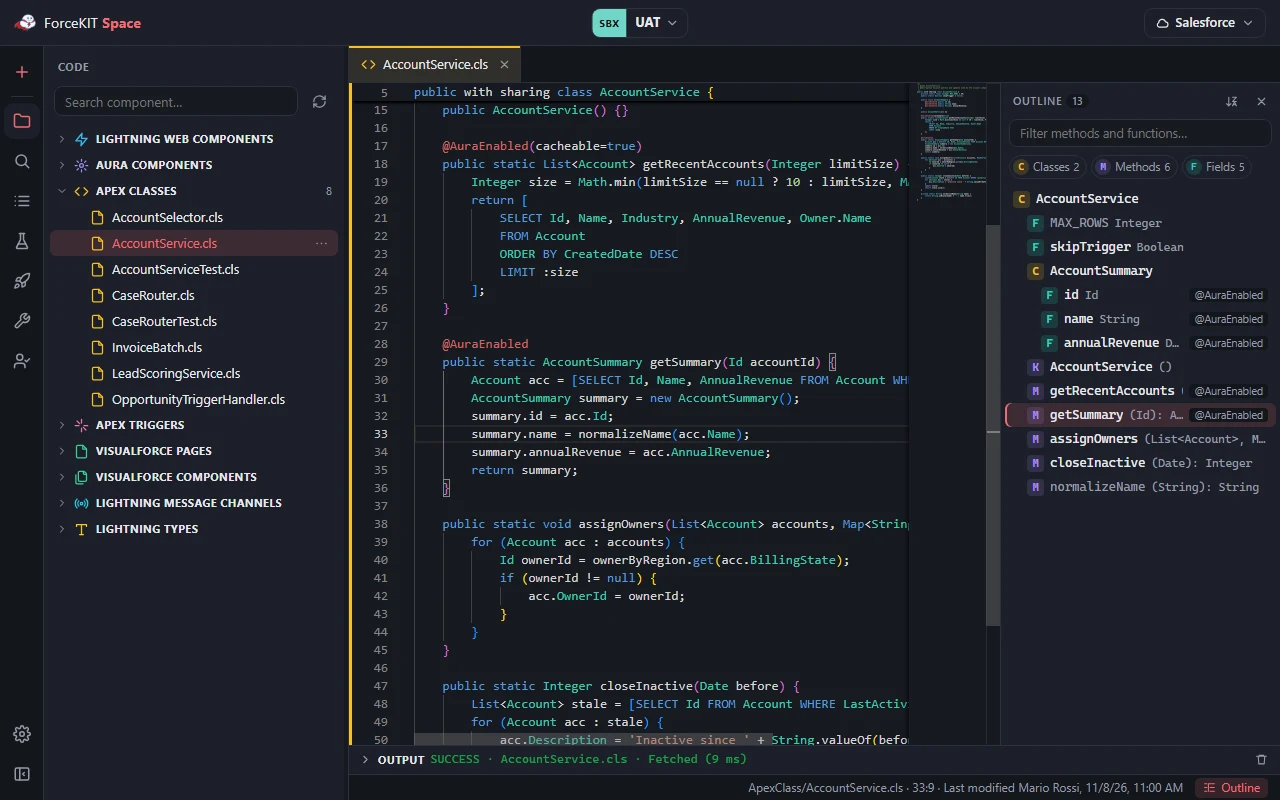
Apex class with the Outline panel
02

Apex tests with live progress and coverage

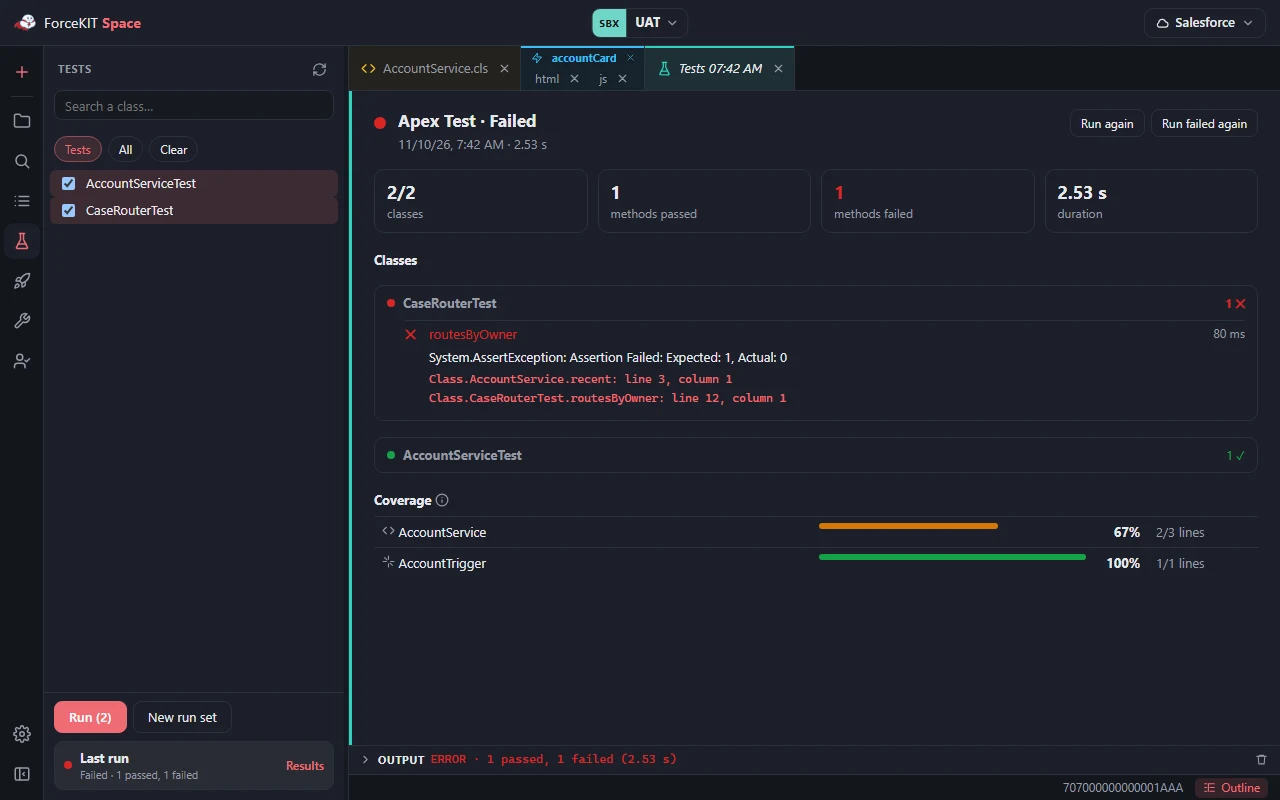
Pick test classes or save them as named run sets, follow the run live and open any stack trace line in the editor. Coverage shows covered and uncovered lines right in the code.

  • Run a whole test class or a single method right from the editor
  • Run sets that work in every org with the same classes
  • Coverage of every class and trigger touched by the run
Apex test results and coverage
03

Debug logs and deployments

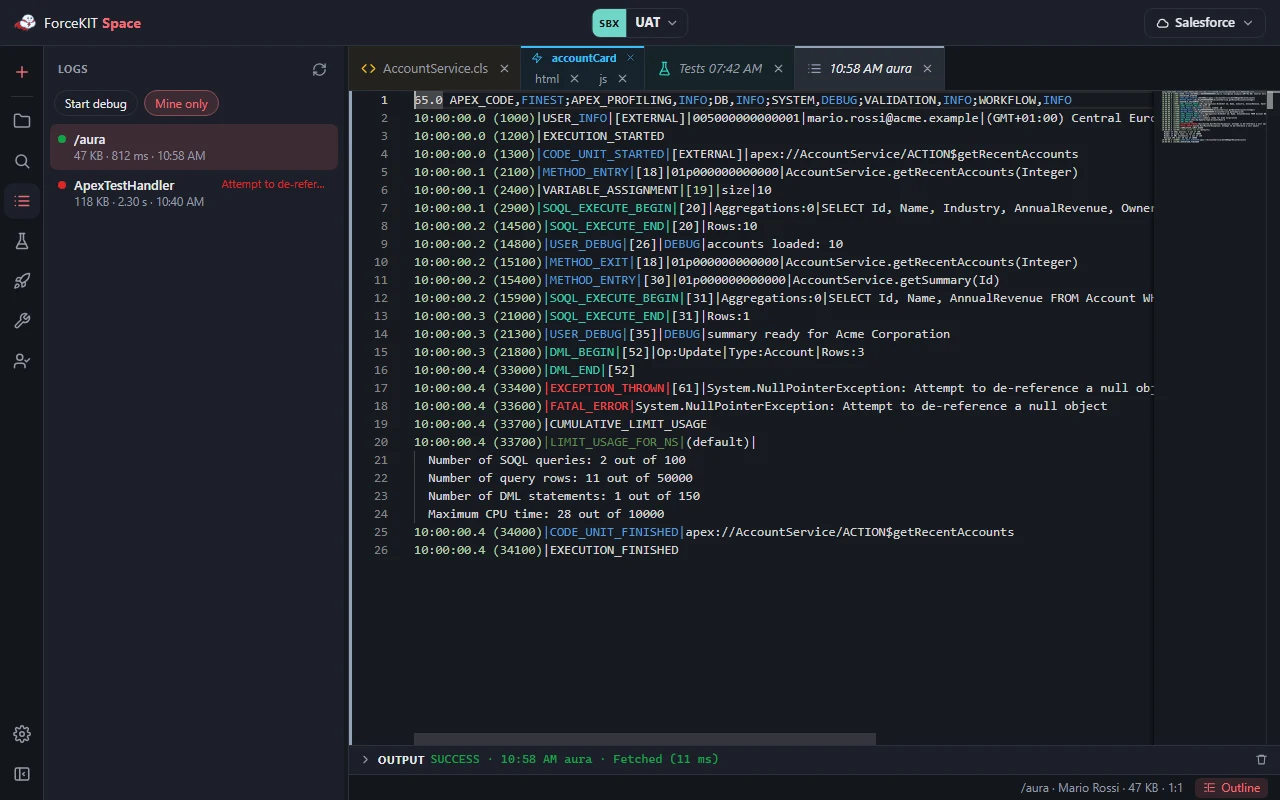
Your logs or everyone's, opened with colors for USER_DEBUG, SOQL, DML and exceptions; turn on debug for yourself for an hour with one click. Recent deployments and validations show failed components, failed tests and coverage warnings, and a click opens the file at the line.

  • The list refreshes by itself while you look at it
  • Anonymous Apex with its own log
  • Deployment detail with stack traces
Debug log with colors
04

Permissions and developer tools

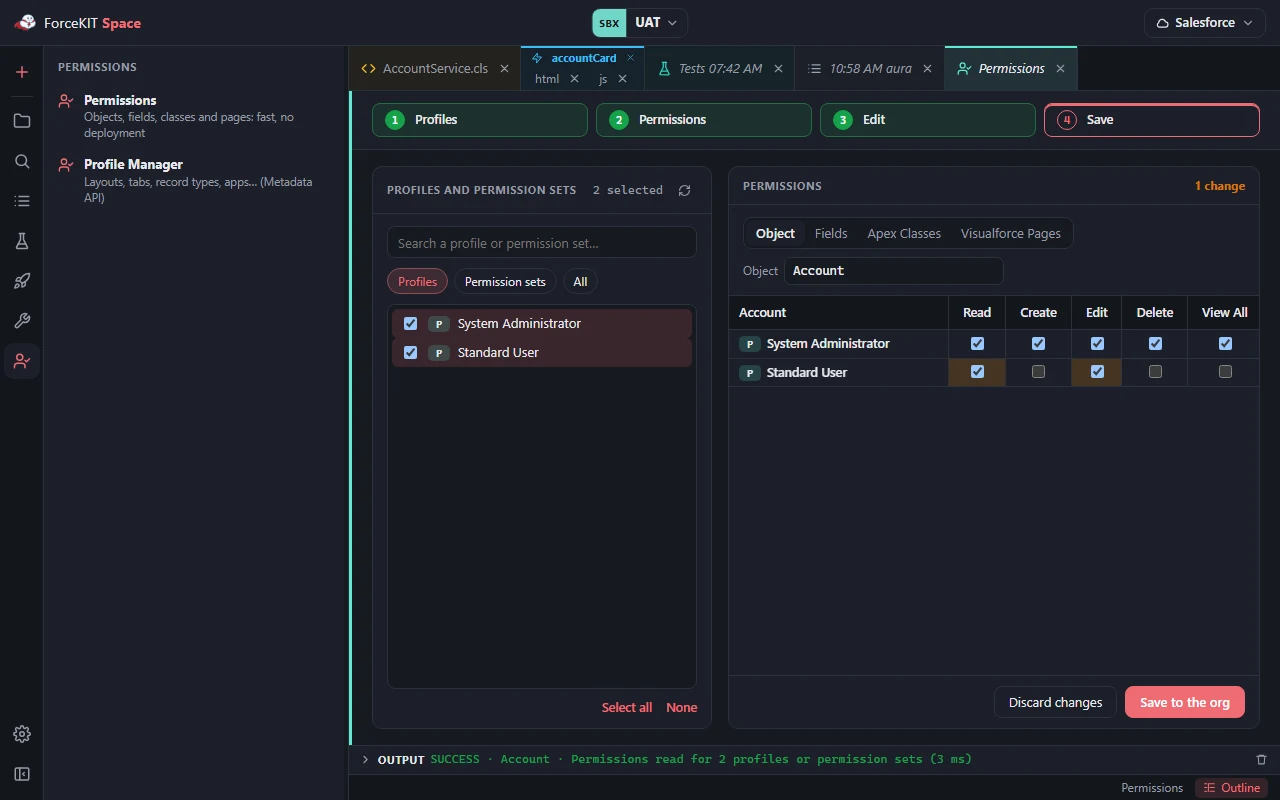
Compare profiles and permission sets on objects, fields, Apex classes and Visualforce pages and save changes right away, without a deploy. Profile Manager is built in, together with Anonymous Apex, REST and GraphQL explorers, Package Manager, Diff Checker, JSON to Apex and Beautify.

  • Setup dependencies applied for you (Edit turns on Read)
  • New LWC, Aura, Apex classes and triggers from templates
  • Compare a file with the version in the org
Profile permissions side by side

Screenshots

See it at work.

Click a screenshot to enlarge it. The org in the screenshots is a demo with invented data.

Frequently asked questions

Is it free?

Yes. No account, no subscription, no ads.

Do I need ForceKIT?

No, ForceKIT Space works on its own: open a Salesforce tab and click its icon. If ForceKIT is installed too, a { } button in ForceKIT opens Space on the org you are working on. Only the org address passes between the two extensions, never the session.

Where does my code go?

Only between your browser and your Salesforce org. ForceKIT Space has no server and no analytics, and does not store the session or the code.

Can I save Apex in production?

Salesforce does not allow saving or creating Apex this way in production orgs: ForceKIT Space shows the Salesforce message. Use a sandbox or a developer org, then deploy as usual.

Your org, your browser, your code.

ForceKIT Space talks only to the Salesforce org you open it on, with the session already in your browser. Preferences and run sets stay in your browser, and go to your Chrome account or your own Google Drive only if you turn sync on.

Contact

Found a bug or have an idea for ForceKIT Space? Write here — no email needed.

Your email is only used to reply. Never for advertising, never shared. Privacy

ForceKIT Space is on the Chrome Web Store.

Free, no account. With ForceKIT installed, the { } button in its top bar opens Space on the org you're working in.

Add to Chrome — it's free